Best Earbud Features for Low-Latency Mobile Gaming and Streaming
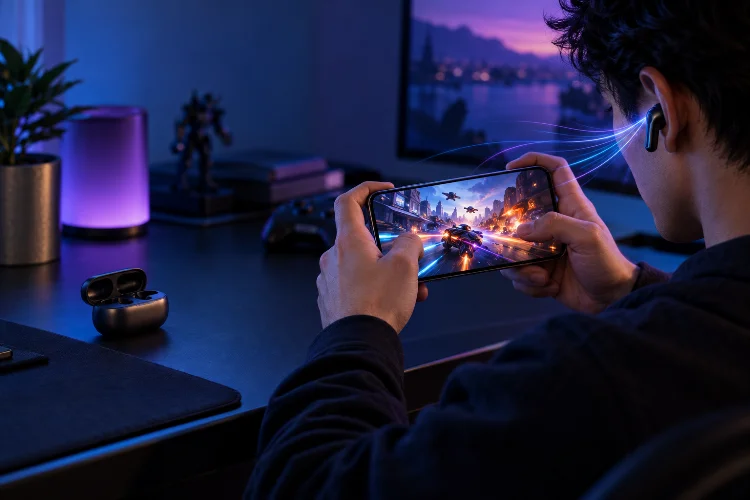
Wireless earbuds are great for music, but gaming exposes one weakness very quickly: latency.
If you tap the fire button and hear the gunshot a fraction of a second later, the delay can make a fast game feel strangely disconnected.
Streaming video is usually more forgiving because software can compensate for some audio delay, but interactive games cannot predict when you are about to jump, shoot, or turn a corner.
That is why the best earbud features for low-latency mobile gaming and streaming go far beyond sound quality.
Connection type matters, codec support matters, and dedicated gaming modes can make a noticeable difference.
Some premium gaming earbuds now use USB-C 2.4GHz dongles instead of relying entirely on regular Bluetooth. Others use codecs such as aptX Adaptive, LC3, or LC3+ to balance audio quality, stability, and responsiveness.
Battery life, microphone quality, comfort, and compatibility matter too.
If you play competitive mobile games or spend hours streaming on a phone or tablet, these are the features worth prioritizing.
2.4GHz Wireless Is Usually the Best Option for Serious Gaming
For competitive gaming, a dedicated 2.4GHz wireless connection is currently one of the most useful features you can get.
Unlike normal Bluetooth audio, gaming-focused 2.4GHz earbuds often connect through a small USB-C dongle. That allows the manufacturer to control more of the wireless audio path and optimize it specifically for low latency.
Sony’s INZONE Buds are a good example. Sony states that their USB-C 2.4GHz connection can deliver latency of less than 30 milliseconds, making them suitable for fast-paced PC, console, and mobile gaming.
The earbuds also provide up to 12 hours of continuous playback on that connection.
ASUS takes a similar approach with the ROG Cetra True Wireless SpeedNova. Its included dongle uses ROG SpeedNova 2.4GHz wireless for ultra-low-latency gaming, while Bluetooth remains available for normal phone use.
Razer’s Hammerhead V3 HyperSpeed also combines 2.4GHz HyperSpeed wireless with Bluetooth, giving gamers the option to switch between everyday connectivity and a gaming-focused connection.
For serious gaming, a dedicated dongle is generally more valuable than chasing the newest Bluetooth version number.
Bluetooth Codecs Still Matter When You Do Not Want a Dongle
A USB-C receiver is convenient for gaming, but plenty of users would rather connect directly over Bluetooth.
That is where codec support becomes important.
Qualcomm’s aptX Adaptive is designed to dynamically adjust its bitrate according to wireless conditions while also targeting lower latency for gaming, video, and calls. Qualcomm specifically positions the technology as a responsive audio option for gaming while maintaining strong audio quality.
LC3 is another increasingly relevant option. It is associated with Bluetooth LE Audio and aims to deliver efficient audio transmission at lower bitrates.
Sony’s INZONE Buds, for example, support Bluetooth LE Audio using LC3 rather than relying on traditional SBC and AAC for their Bluetooth connection.
ASUS goes further in its 2.4GHz implementation, using LC3 and LC3+ with support for up to 24-bit/96kHz audio on the ROG Cetra True Wireless SpeedNova.
Still, codec support must exist on both sides.
Buying earbuds with a low-latancy codec does not help if your phone cannot transmit it. Always check smartphone compatiblity before treating codec support as a major selling point.
Gaming Mode Can Reduce Delay Without Extra Hardware
Not every low-latency setup requires a separate receiver.
Some earbuds include a dedicated gaming mode that changes their Bluetooth behavior to prioritize responsiveness.
Samsung, for example, offers Gaming Mode on selected Galaxy Buds when paired with compatible Galaxy phones. Samsung says the feature is designed to minimize audio delay during gameplay.
These modes typically trade something for lower latency.
The connection may use more power, prioritize timing over maximum audio quality, or become slightly less resistant to interference.
That is not necessarily a problem.
When playing a competitive shooter, reducing latancy can be more useful than preserving every last detail in the soundtrack. When you switch back to Spotify, a standard high-quality mode may make more sense.
This is why earbuds that let you easily switch between gaming and music profiles are particularly useful.
Streaming Needs Good Synchronization More Than Extreme Low Latency
Video streaming and gaming may look like similar workloads, but their latency requirements are different.
For Netflix, YouTube, or other video playback, the software already knows what video frame is coming next. Audio and video can therefore be synchronized by delaying one side slightly when necessary.
Games are interactive.
The device does not know when you will press a button until you actually press it. Any delay in processing and transmitting the resulting sound becomes immediately noticeable.
For streaming, connection stability may therefore be more important than achieving the absolute lowest possible latency.
An unstable connection that constantly stutters is much more annoying than an additional few milliseconds of delay that the video player can compensate for.
That makes adaptive technologies especially useful. aptX Adaptive, for example, can change its operating bitrate according to wireless conditions rather than maintaining one fixed high-bandwidth setting.
For users who alternate between games and movies, earbuds should ideally provide both a low-latency mode and a reliable general-purpose Bluetooth connection.
Good Directional Audio Matters for Competitive Games
Latency is only part of competitive audio.
You also need to understand where sounds are coming from.
Footsteps behind you, distant gunfire, vehicles approaching from the left, and other positional cues can influence how quickly you react.
Sony’s INZONE Buds include personalized 360 Spatial Sound aimed at helping players recognize the direction and distance of in-game sounds.
ASUS pairs its SpeedNova earbuds with Dirac Opteo processing, which the company says is designed to improve detail and soundstage.
Spatial processing can be useful, but it should not replace clean stereo imaging.
A well-tuned pair of earbuds with accurate left-right positioning can already provide excellent directional information. Poorly implemented virtual surround processing can sometimes make everything sound bigger while actually making precise positioning less obvious.
For competitive games, clarity and seperation are usually more important than cinematic bass.
Microphone Quality Is Essential for Multiplayer Gaming
Gaming earbuds are not only playback devices.
For multiplayer titles, voice chat is part of the experience.
A good gaming earbud should isolate your voice from keyboard clicks, traffic, fans, and other background noise without making speech sound robotic.
Sony uses an AI-assisted microphone system in the INZONE Buds to reduce unwanted environmental sound during team communication.
ASUS uses bone-conduction and AI noise-canceling beamforming microphones on the ROG Cetra True Wireless SpeedNova.
Razer also targets its current Hammerhead HyperSpeed models specifically at cross-platform gaming, where voice communication is an important part of the experience.
Microphone processing deserves special attention if you play outdoors or in noisy rooms.
An earbud can sound fantastic but still be frustrating for teammates if every fan, keyboard click, or passing vehicle is transmitted into the chat.
Battery Life Changes When You Use Low-Latency Modes
Gaming features consume power.
Running a dedicated 2.4GHz receiver, active noise cancellation, microphones, RGB lighting, and high-performance audio processing can reduce battery life compared with basic Bluetooth listening.
ASUS clearly demonstrates this difference.
The ROG Cetra True Wireless SpeedNova can reach up to 46 hours of combined battery life in its most efficient Bluetooth configuration. In 2.4GHz mode, ASUS lists up to 36 hours including the case under its longest-running configuration.
Sony approaches the problem differently, offering up to 12 hours directly from the INZONE Buds during 2.4GHz gameplay and roughly 24 hours total with the case. A five-minute quick charge can provide around one hour of playback.
For mobile gaming, earbud-only battery life can matter more than the case total.
A charging case advertising 40 hours is not very helpful during a six-hour session if the earbuds themselves die after four.
Look for the continuous playback figure in the exact connection mode you plan to use.
Multipoint and Fast Switching Make Earbuds More Practical
Many people use one pair of earbuds for more than gaming.
You may play on a smartphone, watch a movie on a tablet, answer a call, and later connect to a laptop.
That makes connection management surprisingly important.
The ROG Cetra True Wireless SpeedNova supports hybrid multipoint options, including Bluetooth connections and combinations involving its 2.4GHz receiver.
Razer’s Hammerhead V3 HyperSpeed uses SmartSwitch to move between Bluetooth and its 2.4GHz HyperSpeed connection. Its charging case can also function as part of the 2.4GHz receiver setup.
Features like this do not improve benchmark latency, but they make the earbuds much easier to live with.
For someone moving between a gaming handheld, Android phone, PC, and tablet, fast switching can be more useful day to day than another small improvement in audio specifications.
Comfort and Fit Become Critical During Long Sessions
Low latency means very little if your ears hurt after forty minutes.
Mobile gaming and streaming sessions can easily last several hours, making comfort an essential performance feature.
Sony specifically designed the INZONE Buds with reduced contact inside the ear and a lightweight body of roughly 6.5 grams per earbud.
Ear-tip fit matters for sound as well.
A proper seal improves bass response and passive noise isolation. Poor fit can make footsteps harder to hear, reduce low-end impact, and force you to increase the volume.
ANC can help in noisy environments, but gamers should not automatically leave it enabled.
Strong ANC processing consumes additional power, and some users may prefer transparency mode when gaming in public spaces where environmental awareness matters.
The ideal gaming earbuds should stay comfortable and consistantly secure without needing frequent adjustments.
Which Features Should You Prioritize?
For competitive mobile gaming, prioritize a 2.4GHz USB-C connection first. Sony INZONE Buds, ROG Cetra True Wireless SpeedNova, and Razer Hammerhead HyperSpeed models demonstrate why dedicated wireless links remain attractive for minimizing delay.
If you want dongle-free convenience, look for gaming modes and low-latency codecs such as aptX Adaptive or modern LE Audio implementations.
Streaming users can prioritize connection stability, battery life, codec quality, and comfort more heavily because video applications can handle synchronization better than interactive games.
Microphone quality becomes important for multiplayer use, while multipoint connectivity is valuable if you regularly jump between multiple devices.
The best gaming earbuds therefore are not simply the pair advertising the lowest latency number.
They are the ones that combine responsive audio, reliable connectivity, long continuous battery life, good directional sound, and enough comfort to survive an entire gaming session.
The best earbud features for low-latency mobile gaming and streaming go well beyond Bluetooth version numbers.
Dedicated 2.4GHz wireless remains one of the strongest options for serious gaming, with products such as Sony’s INZONE Buds delivering sub-30ms latency through a USB-C dongle.
Bluetooth solutions such as aptX Adaptive and LC3 provide more convenient alternatives, while dedicated gaming modes can reduce delays inside specific ecosystems.
Battery life, microphones, spatial accuracy, multipoint support, and comfort are equally important for long sessions.
Before buying, decide whether competitive gaming or everyday streaming matters more. If reaction time is the priority, choose a strong 2.4GHz implementation. If versatility matters more, prioritize stable Bluetooth, good codec support, and fast device switching.