

Android Phone Buying Guide: Features That Matter More Than Specs
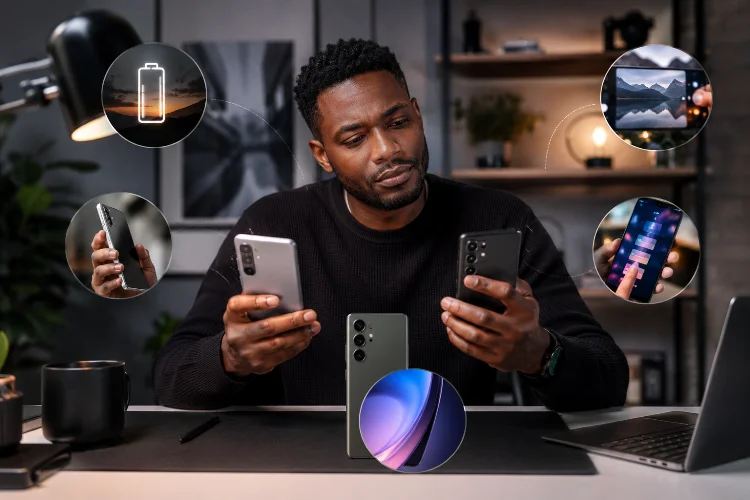
Buying an Android phone can quickly turn into a numbers game. One model has 12GB of RAM, another advertises a 200MP camera, while another promises ultra-fast charging and a huge processor benchmark score. On paper, the phone with the biggest numbers can easily look like the obvious winner.
Real-world experience is rarely that simple.
A useful Android Phone Buying Guide should look beyond the specification sheet and focus on the things you will actually notice every day. Software quality, battery endurance, camera consistency, display usability, update support, and even how comfortable the phone feels in your hand can matter more than headline specifications.
Before spending more for impressive numbers, it is worth understanding which features genuinely improve the ownership experience.
1. Start With the Overall User Experience
Specifications tell you what hardware is inside a phone. They do not always tell you how well everything works together.
A smartphone with a powerful processor can still feel frustrating if its interface is poorly optimised, apps reload unexpectedly, animations stutter, or unwanted software constantly sends notifications. Meanwhile, a less powerful device with polished software can feel remarkably smooth.
Modern mobile processors also contain much more than a CPU. Platforms such as Qualcomm Snapdragon combine CPU, GPU, AI processing, image processing, and other components that influence everything from gaming to photography.
This is why you should check real-world reviews rather than relying entirely on benchmark scores. Look at app-opening speed, camera responsiveness, multitasking, heat management, and general interface smoothness.
2. Software Support Matters More Than Most Buyers Think
A phone might have excellent hardware today but become less attractive if software support ends quickly.
Android updates can bring new features, security improvements, privacy changes, and bug fixes. Google also notes that Android updates help keep devices current with improvements to security and functionality.
Support periods can vary considerably between manufacturers and even between phones from the same brand.
For example, Google currently states that Pixel 8 and later phones receive seven years of operating system and security updates from their original Google Store availability date.
If you normally keep a phone for three, four, or even five years, update support should therefore be treated as a major buying criterion rather than a small bonus.
Check the Exact Model’s Update Promise
Do not simply assume that every Samsung, Pixel, Motorola, Xiaomi, OnePlus, or other Android device receives the same level of support.
Before buying, search for the official update policy for that exact model. Longer support can significantly improve long-term value, especially if you are choosing between two similarly priced phones.
3. Processor and RAM Should Be Balanced
More RAM sounds better, but 16GB of RAM does not automatically make a phone twice as enjoyable as one with 8GB.
Android actively manages memory pressure by closing less important processes when necessary to maintain acceptable system performance. That means both hardware and software optimisation affect multitasking.
For most mainstream buyers, a balanced combination of a capable recent processor and sufficient memory is more valuable than an enormous RAM figure paired with a weak chipset.
Consider what you actually do. Social media, messaging, streaming, maps, photography, and normal multitasking have very different requirements from running demanding 3D games or editing high-resolution video.
Buying some performance headroom is sensible. Paying for extreme specifications you will never use is not always necessary.
4. A Good Display Is About More Than Resolution
Phone manufacturers love numbers such as 120Hz, 144Hz, QHD+, and extremely high peak brightness figures.
Those specifications can be useful, but everyday display quality depends on much more.
Outdoor visibility, colour accuracy, viewing angles, automatic brightness behaviour, touch responsiveness, and minimum nighttime brightness can influence your experience every single day. Even display size is highly personal.
A huge 6.8-inch screen may look fantastic for gaming and video, but it could become annoying if you prefer using your phone one-handed.
When possible, try the device in person. Scroll through websites, open the keyboard, adjust brightness, and hold it for several minutes. Comfort often tells you more than the specification table.
5. Battery Experience Is More Important Than Battery Capacity
A 5,500mAh battery is not guaranteed to last longer than a 5,000mAh one.
Battery life depends on several factors, including processor efficiency, display settings, mobile signal quality, background applications, software optimisation, and your usage habits.
Charging features also deserve attention if you plan to keep the phone for years. Some manufacturers provide battery-protection tools designed to manage charging behaviour. Samsung, for example, offers Battery Protection settings that can limit or adapt charging on supported Galaxy devices.
Instead of shopping purely by battery capacity, check independent endurance tests and reviews based on normal mixed usage.
Think about your routine too. Someone who spends most of the day near a charger has different priorities from a traveller who regularly depends on navigation, mobile data, photography, and video for ten hours away from an outlet.
6. Camera Megapixels Tell Only Part of the Story
One of the easiest mistakes in smartphone shopping is assuming that more megapixels automatically mean better photographs.
A phone camera is a complete imaging system. Sensor quality, lens quality, image processing, autofocus performance, stabilisation, HDR processing, and low-light algorithms can all affect the final image.
This becomes particularly noticeable with moving subjects.
A technically impressive camera that struggles to photograph children, pets, food indoors, or people at night may be less useful than a lower-resolution camera with quicker autofocus and more consistent processing.
When comparing phones, look at actual photo samples. Check skin tones, indoor shots, night photography, zoom quality, portrait edges, moving subjects, and video stabilisation.
Choose the camera that performs reliably in situations you actually photograph.
7. Storage, Connectivity and Small Features Add Up
Storage capacity may seem boring compared with cameras and processors, but running out of space is one of the quickest ways to make a phone annoying.
If you take plenty of photos, download films, install large games, or keep a device for several years, moving from 128GB to 256GB may provide more practical value than upgrading another specification you rarely notice.
Connectivity deserves similar attention. Check whether the device supports the mobile bands used by your carrier, along with the Wi-Fi, Bluetooth, NFC, eSIM, and USB features you actually need.
Then consider smaller details.
A strong vibration motor can make typing feel better. Reliable fingerprint unlocking saves frustration dozens of times a day. Good speakers improve podcasts and videos. Water resistance can provide extra reassurance, while a lighter body may make a large phone much easier to handle.
None of these features dominates a specification comparison, but together they shape how enjoyable the phone feels.
The best smartphone is rarely the one with the longest specification sheet. A smarter Android Phone Buying Guide focuses on features that affect everyday life: reliable software, long update support, balanced performance, a comfortable display, dependable battery life, consistent cameras, enough storage, and useful connectivity.
Before buying, decide how you actually use your phone and prioritise accordingly. Someone who loves photography should shop differently from a mobile gamer, frequent traveller, or casual social media user.
Compare specifications, but do not stop there. Read long-term reviews, check the manufacturer’s software policy, study real camera samples, and, when possible, try the phone yourself. The right Android phone is the one whose features continue to be useful long after the excitement of opening the box disappears.
Related Articles