

How to Decide Whether the Latest iPhone Is Worth the Upgrade Cost
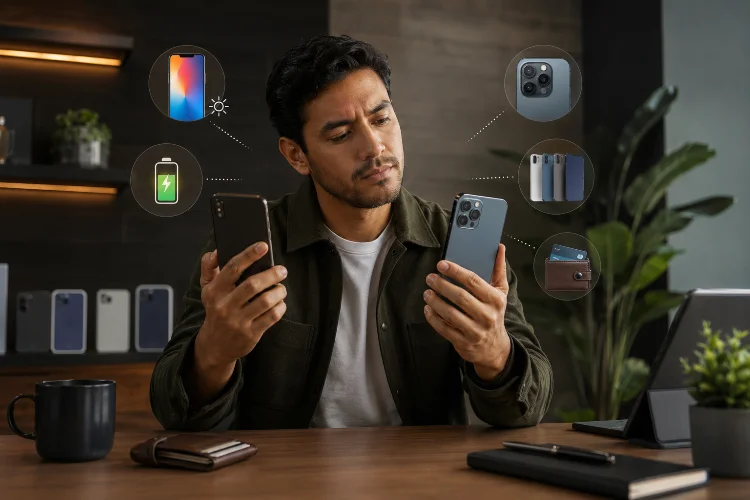
A new iPhone can make your current phone suddenly feel older than it did yesterday. There is a faster chip, an improved camera system, a brighter display, better battery life, and usually at least one feature that looks tempting in an advert.
But a newer phone is not automatically a worthwhile upgrade.
Learning how to decide whether the latest iPhone deserves your money means comparing what has actually changed with what your current device can already do. Apple’s current range includes the iPhone 17 Pro, iPhone Air, iPhone 17, iPhone 17e, and iPhone 16, giving buyers several upgrade paths rather than one obvious choice.
Before reaching for your wallet, here are the questions that matter most.
1. Start With What Is Actually Wrong With Your Current iPhone
The easiest way to avoid an unnecessary upgrade is to forget about the new model for a moment.
Instead, ask what genuinely frustrates you about your current phone.
Maybe the battery barely lasts until dinner. Perhaps storage is constantly full, the camera struggles at night, or games no longer run as smoothly as you would like. Those are real reasons to consider upgrading.
On the other hand, if your iPhone still feels fast, takes photos you enjoy, lasts through the day, and runs every app you need, the practical benefit of replacing it may be surprisingly small.
Upgrading makes more sense when the new device solves a problem rather than simply creating excitement.
2. Compare Features You Will Use, Not Every Specification
New iPhones usually improve several areas at once, but not every improvement matters equally to every user.
For example, the iPhone 17 introduced a 6.3-inch ProMotion display, an A19 chip, a 48MP Dual Fusion camera system, and up to 30 hours of rated video playback.
Those improvements can be meaningful if you are coming from a much older device.
However, somebody upgrading from a recent Pro model may already have excellent cameras, a high-refresh-rate display, and more performance than they regularly use.
Focus on Your Daily Routine
If you mainly use messaging, Safari, email, banking, Maps, Spotify, and social media, raw processor improvements may have little effect on your daily experience.
A photographer might care far more about camera upgrades. A mobile gamer may value sustained performance, while a frequent traveller could prioritise battery life and display visibility.
The most valuable upgrade is different for everyone.
3. Check Whether Performance Is Actually Holding You Back
Smartphone processors have become extremely powerful, which means many iPhones remain responsive for years.
A new processor can bring better gaming, computational photography, AI features, and efficiency, but that does not necessarily mean your existing device has become slow.
Try opening the applications you use most. Switch between several apps, edit a photo, record video, browse complex websites, and play your usual games.
If everything remains smooth, performance alone probably is not a strong reason to upgrade.
The difference becomes more important when you regularly use demanding applications, edit video, play graphics-intensive games, or depend on newer features that require more recent hardware.
4. Look at Software Support Before Replacing a Working Phone
Software support can make an older iPhone useful for much longer than its age might suggest.
Before upgrading, check whether your current model will support the next major version of iOS. Apple’s published compatibility list for iOS 27 includes the iPhone 13 family and newer models, meaning several older generations can continue receiving major software features.
That changes the upgrade calculation.
If your device still receives major updates, runs your applications comfortably, and meets your security needs, you may be able to keep it another year without sacrificing much.
Conversely, approaching the end of major software support can make an upgrade easier to justify, especially if you intend to keep the replacement for several years.
5. A Weak Battery Does Not Always Mean You Need a New Phone
Battery problems are one of the most common reasons an older smartphone starts feeling tired.
Fortunately, poor battery life does not necessarily mean the entire phone needs replacing.
Apple provides battery health information that shows maximum capacity and whether the battery can support normal peak performance. Rechargeable batteries naturally lose capacity as they chemically age.
Check Settings > Battery > Battery Health before making your decision.
If the phone is otherwise performing well, replacing an ageing battery may cost considerably less than purchasing a new iPhone and could extend the useful life of the device.
This is particularly worth considering when your only complaint is endurance.
6. Calculate the Real Upgrade Cost
The price on Apple’s website is only the starting point.
For context, the iPhone 17 launched in the United States starting at $799, although actual prices vary by configuration, country, taxes, carrier offers, and time.
Then consider what you might recover from your existing phone.
Apple Trade In allows eligible devices to receive credit towards a new purchase, with the final value depending on the model and condition.
A useful calculation is:
New phone price – trade-in or resale value = real upgrade cost
Then divide that cost by how many years you expect to use the phone.
A $900 net upgrade kept for four years effectively represents a different value proposition from spending the same amount and upgrading again next year.
Do not forget accessories, AppleCare, extra storage, or other expenses that could increase the total.
7. Consider How Big the Generational Jump Really Is
Not every annual upgrade provides the same improvement.
Moving one generation forward often brings refinement rather than transformation. Jumping three, four, or five generations can feel much more dramatic because multiple improvements accumulate.
You might gain a noticeably better display, faster connectivity, longer battery life, improved cameras, additional safety features, newer charging technology, and stronger performance all at once.
This is why comparing your existing model directly with the phone you want is more useful than simply reading a review of the latest iPhone.
Apple provides a model comparison tool covering current and previous generations, making it easier to see which features would actually change.
8. Know When Waiting Makes More Sense
There is nothing wrong with skipping an iPhone generation.
If your current phone works well and the newest features do not meaningfully improve your daily experience, waiting can be the smarter financial decision.
Keeping your phone another year may also make the eventual upgrade more noticeable because you are accumulating improvements across several generations instead of paying repeatedly for smaller changes.
Waiting is especially sensible when your motivation is mainly fear of missing out.
Technology should solve problems. If the latest model does not solve a problem you currently have, you may already own the right iPhone.
The best way to decide whether the latest iPhone is worth upgrading to is to compare real improvements against real problems.
Look at your current battery health, performance, camera needs, storage, software support, and how long you intend to keep the next phone. Then calculate the purchase price after trade-in or resale value.
If the new model fixes several frustrations and offers features you will regularly use, upgrading can make excellent sense. If your current iPhone remains fast, supported, and reliable, keeping it for another year may offer much better value.
Before buying, compare your exact model with the newest generation and make the decision based on usefulness—not simply novelty.
Related Articles