
How to Choose a Smartwatch That Fits Your Phone and Daily Routine
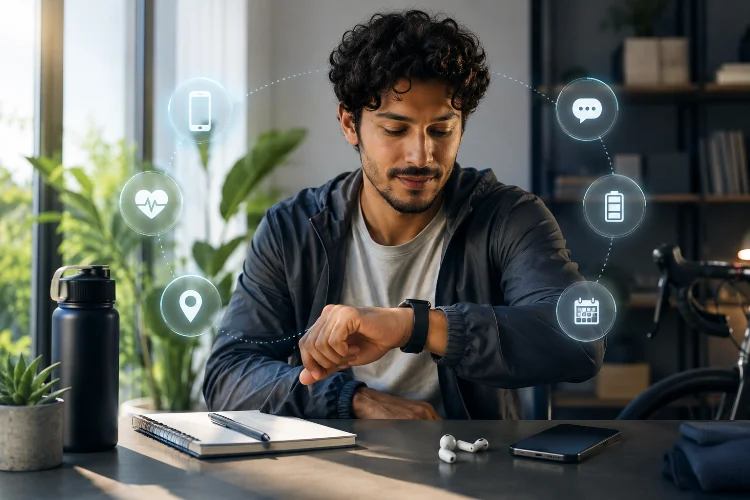
A smartwatch can be incredibly useful, but only when it fits naturally into your routine. The wrong one may require charging at inconvenient times, miss features when paired with your phone, or provide fitness tools you never actually use.
That is why learning How to Choose a Smartwatch involves more than comparing screen sizes, sensors and processor specifications. You need to think about phone compatibility, battery expectations, health tracking, GPS, notifications, comfort and the apps you use every day.
Someone who wants quick message alerts needs a very different watch from a marathon runner or frequent traveller. Before choosing a model based on looks or brand recognition, start by asking what you actually want the watch to do when it is sitting on your wrist.
1. Check Phone Compatibility Before Anything Else
The first step sounds obvious, but smartwatch compatiblity can be surprisingly complicated.
Apple Watch is designed around the iPhone ecosystem. Current models such as Apple Watch Series 11, SE 3 and Ultra 3 require an iPhone 11 or later running iOS 26 or newer. Older Apple Watch generations have different requirements.
The Android market is broader.
Google’s current Pixel Watch setup guidance says compatible models work with supported Android phones, with recent Pixel Watch devices requiring Android rather than iPhone.
Samsung Galaxy Watch compatibility also varies by generation and Android version, so Samsung recommends checking the requirements for the particular watch you intend to buy.
Do this before comparing any other feature. A brilliant watch becomes a poor purchase if several functions disappear when connected to your phone.
2. Decide What You Actually Want From the Watch
Not everyone needs an advanced fitness computer on their wrist.
If your main goal is everyday convenience, focus on notifications, timers, calendar access, weather, music controls, payments and quick replies. These features can reduce how often you need to pull your phone out of a pocket.
Fitness-focused users should think differently.
Running, cycling and hiking may make built-in GPS, heart-rate monitoring, training metrics and longer battery endurance much more important. Someone interested mainly in steps, sleep and general activity may not need the same advanced features.
Create a short mental list of what you expect to use every week. Features that sound exciting but never become part of your routine should not determine your purchase.
3. Match Battery Life to Your Charging Habits
Smartwatch battery life varies enormously.
Some watches are designed around daily or frequent charging, while fitness-focused alternatives can run for many days. Garmin, for example, says battery endurance across its smartwatch range can extend to around a week or considerably longer depending on the device and operating mode.
Battery claims also need context.
GPS tracking, high screen brightness, always-on displays, music playback and continuous sensor use can substantially change real endurance. Garmin’s own guidance notes that GPS, Bluetooth, display settings and sensors such as Pulse Ox can all affect battery consumption.
Think about your routine instead of chasing the largest number.
If charging every evening is convienient, one-day endurance may be perfectly acceptable. If you track sleep every night or spend weekends hiking away from chargers, several days between charges becomes much more useful.
4. Choose Health Features You Will Really Use
Modern smartwatches can collect an impressive amount of health and fitness information.
Depending on the model, features may include continuous heart-rate tracking, sleep monitoring, blood oxygen estimates, workout detection, ECG capabilities and training information.
More sensors do not automatically mean a better watch for you.
A casual user who mainly walks for exercise may benefit more from accurate step, heart-rate and sleep tracking than an enormous collection of specialist metrics. Someone training seriously for endurance events may want detailed recovery information, GPS performance and structured workout tools.
Also remember that availability of certain health features can depend on the watch model, country, software and paired smartphone.
Treat wellness measurements as useful information rather than assuming every wearable measurement is equivalent to professional medical evaluation.
5. Think Carefully About GPS and Outdoor Use
Built-in GPS becomes important when you want to record outdoor activities without relying completely on your smartphone.
Runners and cyclists, for example, may want the watch to record route, pace and distance while leaving the phone at home.
GPS also affects battery consumption. Garmin’s published battery assumptions demonstrate how endurance can change considerably between normal smartwatch mode, GPS-only tracking and GPS combined with music playback.
If your main excersise happens indoors, GPS quality may not deserve a large part of your budget.
For outdoor enthusiasts, however, GPS reliability, navigation tools and battery endurance during tracking can matter more than having the most attractive watch face.
6. Make Sure the Watch Is Comfortable Enough for All-Day Wear
Smartwatches are supposed to be worn, not left on a bedside table.
Case size, thickness, weight and strap design therefore matter more than they might appear on a specification page.
A large screen is easier to read and interact with, but an oversized watch can feel awkward on a smaller wrist. A heavy outdoor watch may be excellent during hiking but uncomfortable for sleep tracking.
Try to think about the longest period you will wear it.
If you plan to track sleep, the watch needs to remain comfortable throughout the night. If you type at a desk for eight hours, check whether the case or strap interferes with your wrist position.
A slightly smaller watch you forget you are wearing can be more useful than a technically superior model that constantly feels bulky.
7. Notifications Should Reduce Distractions, Not Create More
One of the best smartwatch features is also one of the easiest to misuse.
Sending every smartphone notification directly to your wrist can turn the watch into a constant source of interruptions.
Instead, allow notifcations that deserve immediate attention. Messages from important contacts, calendar reminders, calls and selected work alerts may be useful. Promotional shopping notifications probably are not.
The goal is to reduce unnecessary phone checking.
Also investigate how much interaction the watch supports. Some devices allow replies, calls, voice input or app actions directly from the wrist, while others mainly display alerts.
This is another reason the relationship between the smartwatch and your phone ecosystem matters so much.
8. Consider Apps, Payments and Cellular Features
A smartwatch becomes more useful when it supports services already present in your routine.
Check whether your preferred music platform, payment service, maps, fitness applications and productivity tools are available. Wear OS watches, for example, can install supported applications through Google Play, while Pixel Watch setup includes options for services such as Wallet and Fitbit.
Cellular connectivity is another optional feature worth considering.
An LTE watch can make it possible to receive selected communications or use connected functions without having your phone directly beside you, although capabilities and carrier requirements differ.
If your phone is almost always in your pocket, paying extra for cellular service may provide little value.
Choose the simplest setup that remains realiable for the way you actually live.
Learning How to Choose a Smartwatch starts with your phone, not the watch specification sheet. Check compatibility first, then consider battery life, comfort, health tracking, GPS, notifications and the apps you genuinely use.
Before buying, imagine a normal week with the watch on your wrist. Choose the model that removes small everyday frustrations instead of paying for impressive features that rarely leave the settings menu.