
Android Kernel Optimization: How It Improves Mobile Performance
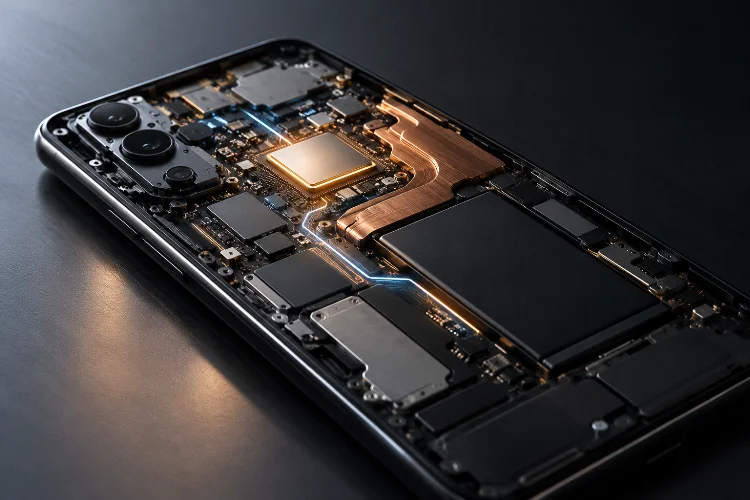
When an Android phone feels fast, most people immediately credit the processor, RAM, or storage. Those components obviously matter, but there is another layer working quietly underneath everything: the kernel.
The Android kernel sits between the operating system and the hardware. It helps decide which CPU core handles a task, how processor frequencies change, what happens when memory becomes scarce, and how hardware drivers communicate with Android.
That makes Android kernel optimization an important part of mobile performance.
Two phones using similar processors and RAM can still feel different because manufacturers tune scheduling, memory behavior, power limits, thermal policies, and hardware drivers differently.
Good tuning can make animations feel responsive while keeping battery consumption and heat under control. Poor tuning can create stutters, excessive power use, or aggressive throttling.
You do not need to understand kernel source code to appreciate the impact. Once you understand the basics, many familiar smartphone behaviors – from gaming performance to app-launch speed – start making much more sense.
What Does the Android Kernel Actually Do?
Android is built on the Linux kernel, although Google adds Android-specific changes through Android Common Kernels.
Modern Android Common Kernels combine upstream Linux Long Term Support releases with Android-specific features. Android also increasingly uses the Generic Kernel Image, or GKI, architecture to separate common kernel code from hardware-specific vendor modules.
Think of the kernel as a traffic controller.
Applications ask Android to perform work, but the kernel ultimately coordinates access to processors, memory, storage, networking hardware, and other components.
For example, when you open a camera app, several things happen almost simultaneously. CPU threads begin running, memory gets allocated, camera drivers communicate with the sensor, image-processing hardware starts working, and storage prepares to save data.
Efficient kernel behavior helps all those operations happen without unnecessary delay.
This is why mobile performance is not only about having faster hardware. The software underneath needs to use that hardware intelligently.
CPU Scheduling Determines Which Core Does the Work
Modern Android processors often contain different types of CPU cores.
Some cores are designed for maximum performance, while others prioritize efficiency. A flagship chipset might contain a powerful prime core, several performance cores, and lower-power efficiency cores.
The scheduler decides where tasks should run.
Linux includes Energy Aware Scheduling (EAS) for heterogeneous CPU designs. EAS uses information about processor capacity and energy cost to help place tasks on suitable CPU cores while trying to minimize energy use without significantly reducing throughput.
Imagine a background email sync running while you scroll through Instagram.
The email task usually does not need the fastest CPU core. Moving it to an efficiency core can leave the powerful cores available for scrolling, animations, and image decoding.
When this works correctly, the phone feels smooth without wasting battery.
If schedulling is poorly tuned, background tasks may compete unnecessarily with foreground workloads or run on power-hungry cores when they do not need them.
The result can be higher temperatures and worse performance per watt.
Utilization Clamping Helps Prioritize Important Tasks
Android performance tuning goes beyond simply choosing a CPU core.
The Linux kernel also supports a feature called utilization clamping, commonly known as uclamp. It allows software to provide minimum or maximum performance hints for particular tasks.
UCLAMP_MIN can tell the scheduler that a task needs a certain minimum performance level. UCLAMP_MAX can prevent less important tasks from consuming more CPU resources than necessary.
This is particularly useful on smartphones.
The task responsible for drawing an animation may need a short burst of high performance so the frame reaches the display on time. A background process doing maintenance work can operate more slowly.
Linux’s uclamp documentation specifically describes Android-style foreground, background, and top-app task classes as a useful example. Background workloads can be limited while resources remain available for whatever the user is actively interacting with.
That can improve perceived responsivness without simply locking every processor core at maximum frequency.
In other words, good optimization is often about knowing when to be fast.
Kernel Frequency Control Balances Speed and Battery Life
A processor does not operate at one fixed clock speed all day.
CPU frequency changes constantly according to workload.
When you are reading a static webpage, running every core at maximum frequency would waste enormous amounts of energy. When you suddenly launch a demanding app, however, the processor needs to increase performance quickly enough that the interface does not feel sluggish.
The Linux schedutil CPU-frequency governor works closely with scheduler utilization information to request suitable processor frequencies.
Energy Aware Scheduling is specifically designed to work with schedutil because the scheduler’s energy predictions depend on processor operating states following utilization levels reasonably closely.
This creates a constant balancing act.
Ramp frequency too slowly and the phone may feel laggy. Ramp too aggressively and battery consumption rises.
Manufacturers can tune this behavior depending on their design priorities.
A gaming-oriented phone may favor faster frequency increases. A thin mainstream phone may use more conservative settings to reduce heat and improve endurance.
Neither approach is automatically superior. The best configuration depends on the hardware and intended experience.
Memory Pressure Can Affect Smoothness Too
CPU optimization gets a lot of attention, but memory pressure can also make a phone feel slow.
When RAM becomes heavily loaded, applications may struggle to allocate memory quickly. The system may begin reclaiming resources, compressing pages, or removing less important application processes.
Android’s Low Memory Killer Daemon, or LMKD, works with kernel-provided memory information to respond when resources become scarce.
Since Android 10, LMKD can use Linux Pressure Stall Information (PSI) to measure how much time tasks spend delayed because of memory shortages. Google says PSI provides a useful measure because those delays directly affect user experience.
This is more sophisticated than simply asking, “How much RAM is free?”
A phone might have very little unused memory while still operating perfectly because cached applications are using it productively.
What matters is whether memory pressure starts causing applications to stall.
Good memory tuning helps Android react before severe pressure turns into noticeable interface stutters or excessive app reloads.
Thermal Management Changes Sustainable Performance
A phone cannot run its CPU and GPU at maximum performance forever.
High frequencies require more electrical power, which creates more heat. Once temperatures approach safety limits, Android and manufacturer-specific thermal systems begin reducing performance.
Kernel-level scheduling and frequency control are therefore closely linked with thermal management.
Utilization clamping can even be used alongside thermal feedback to adjust performance requirements and prevent a device from reaching aggressive throttling states. Linux documentation describes this as one potential way to balance user experience and performance-per-watt.
This is especially important during gaming.
A phone that aggressively boosts every task might achieve excellent benchmark numbers for two minutes but then become hot and throttle.
A more effecient kernel configuration might start slightly slower but maintain higher performance after twenty minutes.
For real users, that second result can be far more valuable.
Sustained performance often tells you more about optimization quality than a single peak benchmark score.
GKI Changes How Android Kernels Are Maintained
Android’s Generic Kernel Image is also changing how manufacturers handle kernel software.
GKI separates Google’s generic kernel from SoC- and device-specific vendor modules. A stable Kernel Module Interface allows compatible vendor modules to continue communicating with the generic kernel.
This architecture is not mainly a speed feature.
Its major goals include making kernel maintenance easier, reducing fragmentation, and allowing important bug and security fixes to reach devices without requiring every hardware-specific component to be rebuilt.
Google’s current GKI release process includes kernel branches ranging from Android 12’s 5.10 generation through newer Android 16 and Android 17 kernel generations. GKI releases continue to receive regular updates, including LTS and critical fixes.
Better maintainability can still influence performance indirectly.
Kernel bugs, scheduler improvements, memory-management changes, and power-management fixes can all affect how efficiently a phone operates.
At the same time, manufacturers retain hardware-specific modules and tuning opportunities, meaning different phones can still behave differently even within the GKI era.
Why Kernel Optimization Matters More Than Benchmark Scores
Benchmark apps provide useful information, but they only capture particular workloads.
Kernel tuning affects what happens between those benchmarks.
It influences how quickly processor frequencies increase when you touch the screen, whether background tasks compete with your foreground application, how memory pressure is handled, and how performance changes as the phone heats up.
These details strongly influence perceived smoothness.
A phone with slightly lower peak scores can feel faster if it launches apps consistently, maintains animation deadlines, and avoids unnecessary thermal throttling.
Conversely, aggressive tuning can produce impressive short benchmark runs while hurting battery life or sustained perfomance.
That is why comparing Android devices should include more than Geekbench or AnTuTu numbers.
Long gaming tests, app-launch measurements, battery testing, temperature data, and multitasking tests provide a better view of how successfully the complete hardware-software system has been optimized.
Android kernel optimization is one of the hidden reasons some smartphones feel smoother and more efficient than their specifications suggest.
CPU scheduling determines where tasks run, Energy Aware Scheduling helps balance performance and power consumption, utilization clamping prioritizes important workloads, and frequency control decides how quickly processor performance changes.
Memory-pressure detection and thermal management add another layer of optimization.
Meanwhile, Google’s GKI architecture is making the underlying Android kernel more standardized and easier to maintain without completely removing manufacturer-specific hardware tuning.
When comparing smartphones, do not judge performance only by processor names and benchmark peaks. Look at sustained speed, battery efficiency, thermal behavior, and real-world responsiveness too.
Those results reveal how effectively the hardware is actually being managed – and good kernel tuning is a major part of that equation.