
How Android Manufacturers Optimize Battery Life Through Software
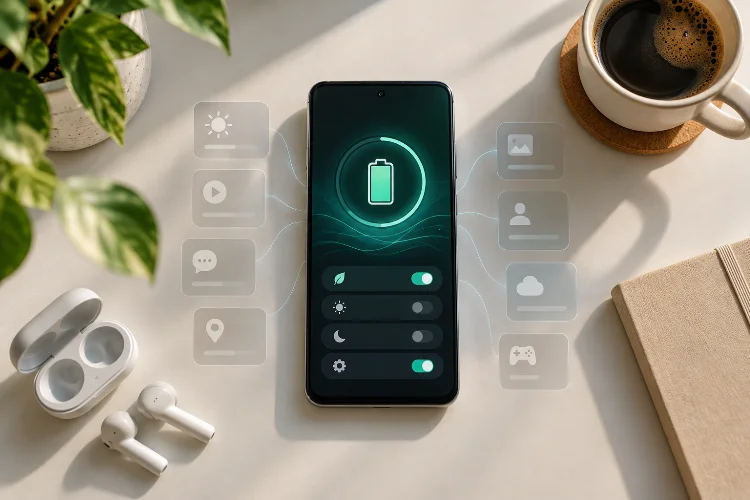
When people compare Android phones, battery capacity usually gets most of the attention. A phone with a 6,000mAh battery sounds like it should easily beat one with 5,000mAh, right? In reality, the number printed on the spec sheet is only part of the story.
Modern Android manufacturers use increasingly sophisticated software to stretch every percentage point of battery life.
The operating system watches which apps you use, limits unnecessary background activity, adjusts processor behavior, controls display brightness, and can even predict when you normally unplug your charger.
That means two phones with similar battery sizes can deliver surprisingly different endurance.
Android battery life optimization is increasingly about making hardware work smarter rather than simply installing a bigger battery. Google, Samsung, Xiaomi, and other manufacturers all build their own power-management layers on top of Android’s existing battery-saving features.
Understanding these systems helps explain why software updates, app habits, display settings, and even your daily routine can significantly change how long an Android phone lasts between charges.
Android Already Has Power-Saving Features Built In
Before manufacturers add their own tricks, Android itself provides a strong foundation for power management.
Two important features are Doze and App Standby. Doze activates when a phone has been unused for a period of time and restricts background CPU and network activity.
Instead of allowing every app to constantly wake the device, Android groups some background tasks into periodic maintenance windows.
App Standby takes a slightly different approach. It identifies apps that have not been actively used and limits their background network activity.
This matters because background processes can quietly drain power. Email syncing, location requests, cloud backups, social media updates, and other small activities may seem insignificant individually, but they add up across dozens of apps.
Android’s built-in system gives manufacturers a starting point. Brands can then apply additional rules depending on their hardware, software interface, and desired battery-life targets.
Adaptive Battery Learns How You Use Your Phone
One of the smartest battery-saving methods is simply learning which apps matter to you.
Google’s Pixel phones use Adaptive Battery to study recent app usage and optimize power consumption accordingly. Google notes that optimization can take a few weeks to reach its full effect after setting up or resetting a device.
The idea is straightforward.
If you open WhatsApp fifty times per day, Android knows it should remain readily available. If you installed a travel app six months ago and rarely touch it, there is little reason for that application to constantly perform backgroud work.
This prediction-based approach allows software to prioritize resources without requiring you to manually close applications every few minutes.
It also explains why battery life on a brand-new Android phone may improve after several days of normal usage. The operating system is still learning your routines, indexing content, optimizing applications, and deciding which processes deserve priority.
Manufacturers Become More Aggressive With Background Apps
Android manufacturers often go beyond Google’s standard power-management behavior.
Samsung Galaxy devices, for example, include Sleeping Apps and Deep Sleeping Apps. Sleeping apps can run in the background occasionally, while deep-sleeping applications generally stay inactive until you manually open them.
Samsung warns that this can delay updates or notifications, which shows the trade-off involved.
Xiaomi uses similar ideas through its battery management tools. Its Battery Saver modes can reduce system activity and restrict background processes, while Ultra Battery Saver can additionally reduce performance and disable non-essential functions.
These systems can produce impressive standby time because fewer applications are allowed to continuously wake the processor.
However, aggressive optimizaton can sometimes create annoying side effects. Messaging apps may deliver notifications later than expected, fitness apps might stop tracking correctly, or cloud services could sync less frequently.
Battery-saving software therefore needs balance. Saving another few percent is not useful if your important notifications stop arriving.
Why Some Apps Should Be Excluded
Most manufacturers allow users to exempt specific applications from automatic power restrictions.
That can be useful for messaging, smart-home apps, fitness trackers, VPN services, or applications that genuinely need constant background access.
The best battery management system is not necessarily the most aggressive one. It is the one that correctly identifies what can safely be suspended.
Software Can Reduce Display and Processor Power Too
Background applications are only one source of battery drain.
The display is often one of the biggest energy consumers in a smartphone, especially when brightness is high. Manufacturers therefore use adaptive brightness, variable refresh rates, dark mode, and automatic screen timeouts to reduce unnecessary power usage.
Samsung specifically notes that high screen brightness, high-performance apps, location services, and demanding content can increase battery consumption. Its Adaptive Brightness feature adjusts display output according to ambient lighting conditions.
Processor performance can also be controlled through software.
Samsung, for instance, offers a Light performance profile on supported Galaxy devices. Instead of always chasing maximum CPU performance, Light mode prioritizes battery life and cooling efficiency for everyday workloads.
That approach makes sense because checking email or scrolling through a news app does not require a flagship processor to run at full speed.
Reducing peak performance slightly can sometimes save meaningful energy while producing almost no noticeable difference during normal usage.
Battery Saver Modes Change More Than One Setting
Traditional Battery Saver modes remain useful because they can change several behaviors simultaneously.
Rather than asking users to manually reduce brightness, disable background synchronization, lower processor activity, and turn off unnecessary features one by one, manufacturers bundle those changes into a single mode.
On Xiaomi devices, Battery Saver can restrict background activity and adjust system settings. Some models also offer Ultra Battery Saver, which limits non-essential features and prioritizes basic functionality when remaining battery capacity becomes critical.
Samsung’s power-saving tools can similarly restrict background apps and alter device behavior, although the exact options depend on the model and One UI version.
This creates a useful performance-versus-endurance slider.
During a normal day, you might prefer full performance. When your battery hits 15% and you still have several hours before reaching a charger, sacrificing some speed for extra runtime suddenly sounds much more attractive.
Smarter Rendering Can Save Power Without Feeling Slower
Some manufacturers are also optimizing how Android draws animations and graphical elements.
Xiaomi, for example, said its HyperOS 2 rendering improvements could reduce power consumption by 5% during certain multi-window rendering scenarios while simultaneously improving performance.
This highlights an important idea: better battery life does not always require visibly reducing performance.
Software engineers can improve scheduling, memory management, rendering pipelines, and processor utilization so that the phone completes the same task using less energy.
A processor that finishes work quickly and returns to a low-power state may consume less total energy than one that inefficiently stays active for longer.
The same principle applies to network activity. Instead of allowing ten apps to wake the modem separately, Android can group tasks together or rely on shared services.
These small optimizations may be invisible to users, but together they can make battery behavior more consistant throughout the day.
Smart Charging Protects Battery Health Over Time
Battery optimization is not only about lasting from morning to evening. Manufacturers also want the physical battery to maintain its capacity over several years.
Keeping a lithium-ion battery at 100% for long periods can contribute to battery aging. Software can reduce this stress by learning when you normally need the phone.
Google’s Adaptive Charging learns charging habits and can delay completing a charge until shortly before the phone is normally unplugged. Pixel devices also offer an 80% charging limit for users who prioritize long-term battery health.
Samsung offers a similar Battery Protection system. Its Adaptive option can limit charging while you sleep and return to normal charging shortly before your predicted wake-up time. A Maximum mode can stop charging at 80% on supported devices.
Xiaomi’s Smart Charging also learns charging habits and can adjust the charging strategy to reduce the time a battery remains fully charged.
This type of software may not give you dramatically longer battery life today, but it can help preserve useful capacity months or years later.
Software Optimization Always Involves Trade-Offs
There is no completely free battery saving.
Restricting background activity may delay notifications. Reducing processor speeds can make demanding tasks slower. Lowering refresh rates can make scrolling feel less fluid, while limiting charging to 80% means giving up part of the battery’s available capacity that day.
Manufacturers therefore try to make these decisions automatically.
The best systems analyze usage patterns and apply restrictions where users are least likely to notice them. A rarely opened shopping app can probably sleep aggressively, while your primary messaging application should stay responsive.
This is also why battery-life comparisons cannot rely only on battery capacity.
A smaller battery paired with efficient software, display management, and processor scheduling can sometimes compete surprisingly well with a larger battery running more aggressive hardware settings.
Android manufacturers now use software as one of their most important tools for improving battery endurance.
Android’s Doze and App Standby provide the foundation, while features such as Adaptive Battery, sleeping apps, power-saving modes, processor profiles, adaptive displays, and intelligent charging allow individual brands to take power management further.
The smartest systems do not simply shut everything down. They learn which applications you actually use, reduce waste in the background, and adjust performance where you are unlikely to notice the difference.
So when choosing your next Android phone, do not judge battery life by capacity alone. Look at software support, power-management features, charging protection, and real-world endurance tests too.
A well-optimized 5,000mAh phone can sometimes be a better daily companion than a poorly managed device with a much larger battery.