How to Compare Smartphone Battery Endurance Beyond mAh Capacity
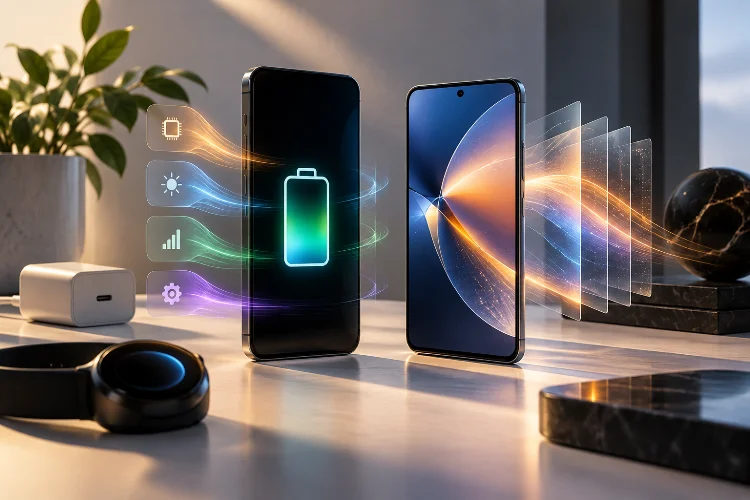
When comparing smartphone battery life, most people start with one number: mAh. A phone with a 7,000mAh battery must last longer than one with a 5,000mAh battery, right?
Not necessarily.
Battery capacity is important, but it only tells you how much electrical charge a battery can store. It does not explain how quickly the phone uses that energy.
Display brightness, processor efficiency, cellular signal quality, background apps, software optimization, gaming, cameras, and dozens of other factors can dramatically change real-world endurance.
That is why learning how to compare smartphone battery endurance requires looking beyond the specification sheet.
A smaller battery inside an efficient phone can sometimes compete with a much larger battery in a power-hungry device. Likewise, two phones with identical capacities may produce completely different screen-on times.
If battery life matters to you, understanding efficiency, testing methods, and your own usage pattern will give you a much clearer picture than simply choosing the biggest mAh number.
mAh Measures Capacity, Not Actual Battery Life
Milliamp-hours, or mAh, describe how much electrical charge a battery can store.
A 6,000mAh battery can theoretically provide more charge than a 5,000mAh battery. However, that does not automatically mean 20% longer real-world battery life because phones consume power at different rates.
Voltage matters too.
Battery energy can also be expressed in watt-hours, or Wh. In simplified terms, watt-hours are calculated by multiplying battery capacity in amp-hours by voltage.
For example, a 5,000mAh battery is equal to 5Ah. At an average nominal voltage of around 3.9V, that represents roughly 19.5Wh of energy.
Even watt-hours do not tell you the full story, though. What really matters is how efficiently the phone turns that stored energy into usable screen time, connectivity, processing, and standby time.
DXOMARK makes the same distinction in its battery testing methodology, noting that battery capacity alone cannot predict autonomy because hardware, software, background activity, and user behavior all affect consumption.
Chipset Efficiency Can Change Everything
The processor is one of the biggest reasons two phones with similar batteries can behave differently.
Modern smartphone chips include CPU cores, graphics processors, AI accelerators, image processors, and cellular modems. All of those components require energy.
A highly efficient chipset can finish tasks quickly and return to a low-power state. A less efficient chip may consume more energy to perform the same workload.
This becomes especially obvious during gaming.
Running a demanding game at high graphics settings forces the GPU to stay active for long periods. Two phones might both contain 5,500mAh batteries, but the model with the more efficient processor could last significantly longer.
The modem matters as well. Qualcomm notes that smartphone-level power consumption includes not only the CPU and GPU but also the modem, display, sensors, and other components.
That is why looking at the chipset generation and real-world efficiency tests can be more useful than comparing battery size alone.
The Display Can Be a Massive Power Consumer
For many users, the screen is one of the largest sources of battery drain.
Brightness has a major effect. Using a phone indoors at 150 nits requires far less display power than keeping the screen extremely bright outdoors under direct sunlight.
Refresh rate matters too.
A 120Hz display refreshes its image more frequently than a traditional 60Hz screen. That creates smoother scrolling and animations but can require more energy depending on the panel and software implementation.
Modern LTPO displays reduce this problem by dynamically lowering the refresh rate when high refresh speeds are unnecessary.
Android also supports adaptive refresh-rate technologies designed to match display activity more closely to the content being shown, reducing unnecessary power consumption.
When comparing phones, therefore, look at display size, resolution, brightness, refresh rate, and adaptive refresh capabilities.
A slightly smaller battery paired with an efficient LTPO OLED panel can sometimes deliver more consistant endurance than a larger battery powering a less efficient screen.
Network Conditions Can Dramatically Affect Endurance
Battery testing becomes even more complicated once cellular connectivity enters the picture.
A phone with a strong Wi-Fi connection may consume significantly less power than the same device constantly searching for a weak mobile signal.
When cellular coverage is poor, the modem can work harder to maintain communication with the network. Moving between towers while traveling can also increase activity.
This explains why battery life during a long train journey may be much worse than battery life at home, even if you use the phone for similar tasks.
DXOMARK specifically includes “on the go” testing because mobile-network activity introduces additional power demands compared with stationary use.
5G itself is not automatically a battery killer. The relationship is more complicated.
Qualcomm testing has shown that 5G can be energy-efficient when transferring large amounts of data under good network conditions because faster transfers allow the modem to complete work sooner.
The key variable is often signal quality, not simply whether the status bar says 4G or 5G.
Software Optimization Matters More Than Most Spec Sheets Show
Battery endurance is also heavily influenced by operating-system behavior.
Android uses systems such as App Standby Buckets to categorize apps according to how frequently they are used. Less important apps can receive tighter limits on background jobs, alarms, and other resources.
Manufacturers then build additional battery-management systems on top of Android.
Google’s Adaptive Battery, for example, learns which apps you use regularly and limits activity from apps you use less frequently. Google notes that this optimization can take time to learn user behavior.
This can have a surprisingly large effect on standby drain.
Imagine two phones that lose 3% and 8% overnight. Over several days, that difference becomes substantial even if their active screen-on consumption is similar.
Background syncing, social media apps, cloud backups, location tracking, notifications, and poorly optimized software can all quietly consume energy.
That is why battery endurance often improves or worsens after software updates.
Screen-On Time Alone Is Not a Perfect Metric
People often ask, “How many hours of screen-on time does it get?”
Unfortunately, there is no universal answer.
Six hours of reading ebooks at low brightness is very different from six hours of playing Genshin Impact at maximum graphics.
Watching downloaded video is different from streaming over 5G, and using Google Maps outdoors combines GPS, networking, high display brightness, and constant processor activity.
Screen-on time therefore only becomes useful when you know what the phone was doing during those hours.
Standardized battery tests help solve this problem.
Tom’s Guide, for example, sets tested smartphone displays to 150 nits and continuously browses the web over a cellular connection until the battery runs out. Using the same methodology allows different devices to be compared under more controlled conditions.
DXOMARK uses a broader approach that evaluates autonomy, charging, and power effeciency through stationary, mobile, and calibrated use cases.
Neither method perfectly represents every user, but both are much more informative than mAh alone.
Charging Speed Should Be Part of the Battery Equation
Endurance tells you how long a battery lasts. Charging tells you how quickly you can recover that endurance.
That distinction can completely change the user experience.
Imagine Phone A lasts 15 hours but needs nearly two hours to recharge. Phone B lasts 14 hours but can recover most of its battery during a 25-minute lunch break.
Depending on your routine, Phone B might feel much less restrictive.
This is why some battery testing organizations include charging performance alongside autonomy. DXOMARK, for example, measures full-charge time as well as the additional autonomy gained from a short five-minute charge.
Charging efficiency matters too. Not every watt drawn from the wall ends up stored in the battery because some energy is lost as heat.
Extremely fast charging can also produce more heat, so manufacturers use temperature monitoring and charging algorithms to balance speed with battery health.
When comparing phones, consider endurance and charging together rather than treating them as seperate categories.
Temperature and Battery Health Matter Over Time
A phone’s battery performance when new is not necessarily what you will experience two years later.
Lithium-ion batteries gradually lose usable capacity through normal charging cycles and aging. Heat can accelerate that process.
Google specifically advises keeping Pixel phones cool because high temperatures can increase battery drain and contribute to battery wear. It also offers charging optimization and an 80% charge limit on supported devices to reduce the amount of time the battery remains fully charged.
Temperature can also affect short-term endurance.
Heavy gaming, video recording, navigation under direct sunlight, and fast charging can cause a phone to heat up. The system may then lower processor performance or screen brightness to manage temperature.
This means thermal design indirectly influences battery life.
Good cooling is not only useful for gaming performance; it can also help the phone operate more effeciently under sustained workloads.
How to Make a Fair Battery Comparison
The best approach is to combine specifications with independent testing.
Start with battery capacity, but do not stop there. Check the chipset, screen technology, refresh rate, software, charging speed, and modem generation.
Then look for tests that use the same methodology across multiple phones.
Comparing a 20-hour result from one publication with a 14-hour result from another can be misleading because their brightness settings, network conditions, applications, and testing procedures may be completely different.
Most importantly, match the test to your own behavior.
Gamers should prioritize gaming endurance and thermal efficiency. Travelers should examine mobile-network, GPS, and standby performance. Heavy video users should focus on streaming tests, while office users may care more about mixed-use endurance and idle drain.
There is no single “best battery phone” for everyone.
The best one is the phone that performs efficiently during the activities you actually do.
Smartphone battery endurance is much more complicated than comparing mAh numbers.
Capacity provides a useful starting point, but chipset efficiency, display technology, network conditions, background activity, thermal management, charging speed, and software optimization all determine how long a phone actually lasts.
That is why a well-optimized phone with a smaller battery can sometimes outperform a device with a much larger cell.
When shopping for your next smartphone, use mAh as one part of the comparison rather than the final answer. Check standardized endurance tests, charging results, and the workloads that match your daily routine.
Do that, and you will have a much better idea of whether a phone can genuinely survive your day instead of simply looking impressive on a specification sheet.