
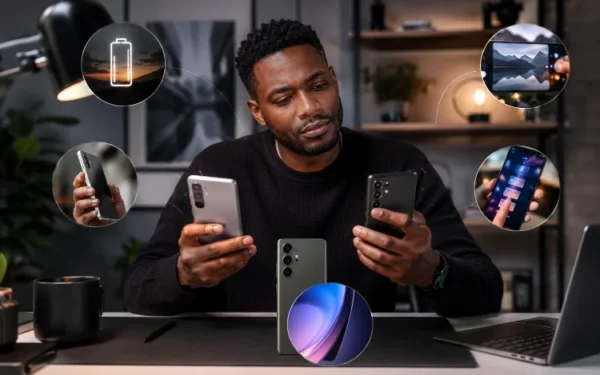
How to Choose an Android Phone That Will Still Feel Fast in Two Years

Buying a new Android phone is easy. Choosing one that will still feel quick two years later is much harder. A phone may seem perfectly smooth in a shop, but heavier apps, operating system updates, larger photo libraries, and more demanding games can gradually expose weak hardware.
That is why learning how to choose an Android phone requires looking beyond camera megapixels, screen size, and flashy AI features. The processor matters, but so do RAM, internal storage, software support, thermal management, and battery health.
You do not necessarily need the most expensive flagship available. The smarter approach is to buy enough performance headroom today so your phone still handles everyday tasks comfortably several years from now.
1. Start With a Processor That Has Performance Headroom
The processor, or system-on-chip, is one of the biggest factors influencing how responsive a smartphone feels. It handles far more than basic calculations: modern mobile platforms combine CPU, GPU, AI processing, image processing, connectivity, and other components. Qualcomm, for example, describes Snapdragon platforms as integrating CPU, GPU, NPU, and ISP technologies into one mobile platform.
For long-term use, avoid choosing a phone whose processor already struggles with demanding tasks today. Entry-level hardware may be fine for messaging and browsing, but future Android versions and apps could place more pressure on the system.
You do not always need a flagship chip. A strong upper-mid-range processor is often a better balance between price and longevity. Think about performance headroom: if the phone feels effortlessly fast now, it has a better chance of remaining comfortable as software becomes more demanding.
2. Aim for Enough RAM, Not Just the Biggest Number
RAM allows Android to keep apps and processes readily available. When memory becomes limited, Android has to manage that pressure by closing less important processes to maintain acceptable system performance. Android’s own documentation explains that its low-memory management system can terminate less essential processes when memory pressure becomes high.
For a phone you plan to keep for several years, 8GB of RAM is a sensible practical target for mainstream users. Moving to 12GB can be worthwhile if you regularly play demanding games, multitask heavily, edit media, or expect to keep the device for a particularly long time.
More RAM does not automatically make a phone faster, however. A well-optimised phone with 8GB can feel better than a poorly optimised model with 12GB.
3. Pay Attention to Storage Speed and Capacity
Storage is one of the specifications buyers often overlook. Yet almost everything you do—opening apps, installing updates, loading game data, processing photos, and transferring files—depends on internal storage.
Modern UFS storage can provide much higher transfer performance than older technologies. Samsung’s UFS 4.0 specification, for example, lists sequential read speeds of up to 4,200MB/s and write speeds of up to 2,800MB/s.
You should also think about capacity. A 128GB phone may be enough today, but photos, videos, games, offline media, and system updates gradually consume space.
If your budget allows, 256GB is a comfortable long-term choice for many users. Having spare capacity also means you are less likely to spend the next few years constantly deleting files.
4. Check the Software Update Policy Before Buying
Hardware specifications only tell half the story when deciding how to choose an Android phone for long-term use.
Software support can significantly extend a device’s useful lifespan by delivering operating system upgrades, security fixes, bug fixes, and platform improvements. Support periods vary substantially between manufacturers and individual models.
Google says Pixel 8 and later phones receive seven years of updates from when each device first became available through the Google Store in the US. Samsung has made similarly long commitments for some flagship Galaxy generations; for example, the Galaxy S25 series was announced with seven generations of OS upgrades and seven years of security updates.
Do not assume every phone from the same brand gets the same policy. Check the exact model before buying.
5. Consider Heat and Sustained Performance
Benchmark scores can be useful, but they do not tell you everything.
A powerful processor inside a phone with poor thermal management may slow itself down during long gaming sessions, navigation, video recording, or other demanding workloads. Meanwhile, a slightly less powerful phone with better cooling may deliver more consistent real-world performance.
This is why reviews that include sustained-performance or thermal testing can be more useful than simply comparing peak benchmark numbers.
When researching a phone, look for reports about overheating, throttling, frame-rate stability, and performance during longer workloads. A smartphone that manages heat efficiently is generally better positioned for demanding use over time.
6. Battery Health Matters More Than You Might Think
A phone can have a fast processor and plenty of RAM yet still feel old when its battery no longer lasts through the day.
Battery capacity naturally becomes an important consideration if you expect to keep a device for several years. Instead of focusing only on the biggest mAh number, consider efficiency, charging behaviour, processor power consumption, and the manufacturer’s battery-management features.
It is also worth checking how practical battery replacement will be in the future. Replacing an ageing battery after two or three years can sometimes extend the useful life of an otherwise perfectly capable smartphone.
A slightly more expensive phone that is well supported and repairable can therefore offer better long-term value than a cheaper model you feel compelled to replace quickly.
7. Don’t Overpay for Features That Won’t Improve Longevity
A 200-megapixel camera, extreme display resolution, or premium materials may be attractive, but they do not necessarily make Android run faster.
If longevity is your priority, spend your budget first on the fundamentals: a capable processor, sufficient RAM, fast storage, enough storage capacity, reliable software support, good thermal behaviour, and solid battery life.
Then consider extras such as camera quality, wireless charging, gaming features, waterproofing, or premium design.
This approach often makes a well-balanced upper-mid-range phone more appealing than an entry-level device loaded with attention-grabbing specifications.
Learning how to choose an Android phone that will still feel fast in two years is mainly about buying enough headroom rather than chasing the highest specification in every category.
Prioritise a capable modern processor, around 8GB or more RAM for comfortable long-term use, fast internal storage, sufficient capacity, reliable software support, good thermal management, and strong battery performance. Just as importantly, check reviews of the exact model instead of judging a phone purely from its specification sheet.
Before buying your next Android device, compare these long-term factors alongside price and camera quality. A little more research today could save you from wanting another upgrade far sooner than expected.
Related Articles